
Vanity Address Generator
The CCBus Vanity Address Generator mines a personalized wallet address with a custom prefix and/or suffix. Private keys are generated entirely in your browser and never sent to any server.
Tool URL: https://ccbus.cc/toolset/vanity-address
What Is a Vanity Address
A vanity address is a wallet address that contains a chosen prefix, suffix, or recognizable pattern — for example, one that starts with 0x8888... or ends with ...dead. A normal wallet address looks random, but a vanity address is personalized and easier to remember or recognize.
A vanity address is just as secure as any other address — it uses the same private-key / public-key cryptography. The only difference is that the address itself contains characters you picked.
Why Use One
- Brand identity — easy to share on social media, in token listings, or with your community
- Memorability — partners can recognize your address at a glance and avoid sending funds to the wrong wallet
- Proof of ownership — showing a known prefix/suffix is a quick way to confirm "this is really my address"
- Personal touch — encode a birthday, name, or lucky number into your wallet
Supported Chains
- EVM chains (BSC, ETH, Base, Arbitrum, Polygon, …) — one private key works on all EVM chains
- TRON — TRC-20 wallet
⚠️ We do not store private keys — please back them up yourself. A lost key cannot be recovered.
Step-by-Step Tutorial
Step 1 — Open the Tool
Open the CCBus home page, click Toolset, then choose Vanity Address Generator.
The default chain is ETH:
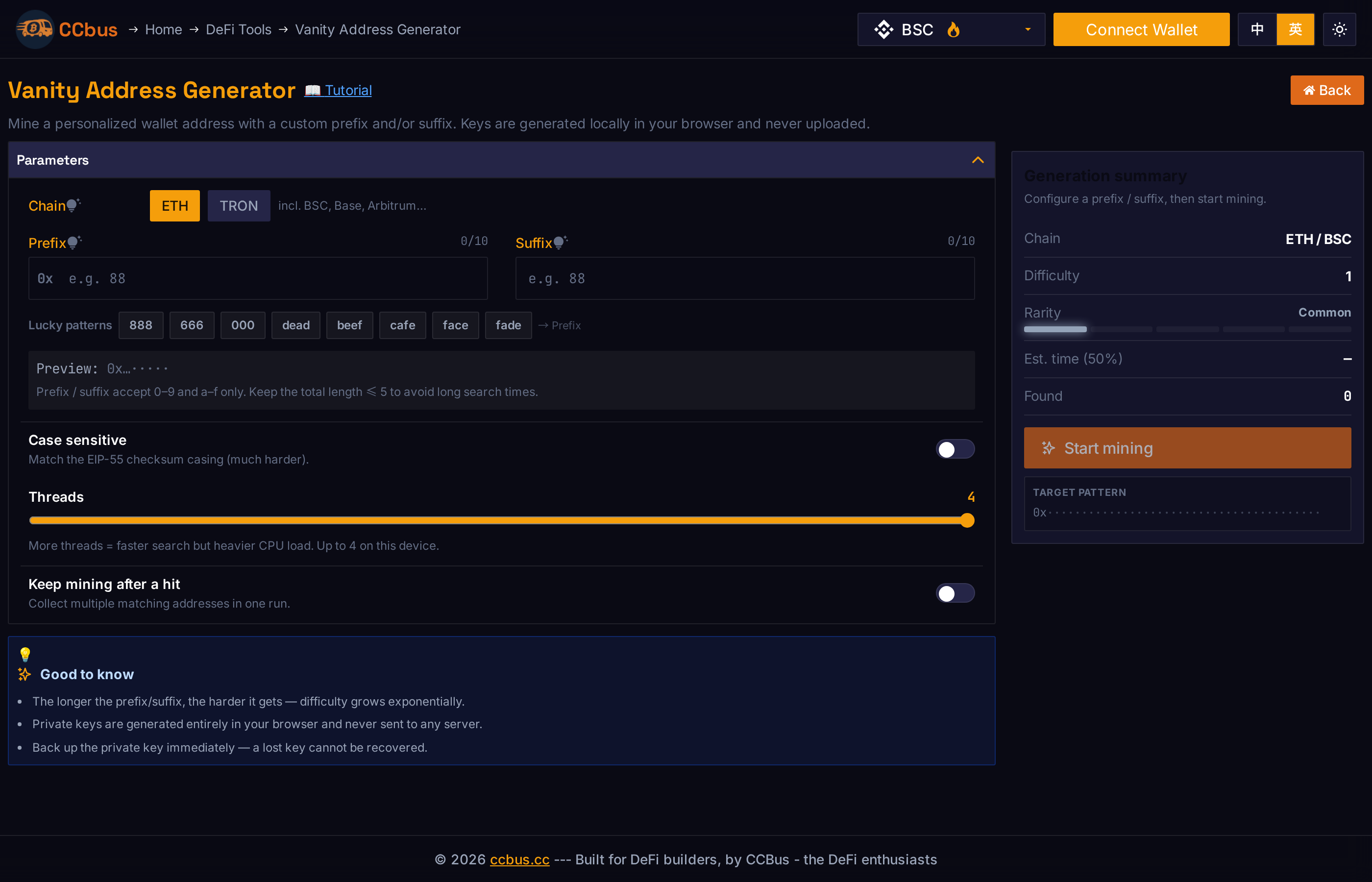
Step 2 — Pick a Chain
- ETH — generates an EVM-chain wallet (works on BSC, Base, Arbitrum, etc.)
- TRON — generates a TRC-20 wallet
Switching chains auto-filters any incompatible characters already typed into the prefix / suffix fields.
Step 3 — Enter a Prefix and/or Suffix
- Prefix — characters the address starts with (after
0xorT) - Suffix — characters the address ends with
- Keep the total length ≤ 5 to avoid long search times
- ETH charset:
0-9,a-f; TRON charset: Base58 (excludes0,O,I,l)
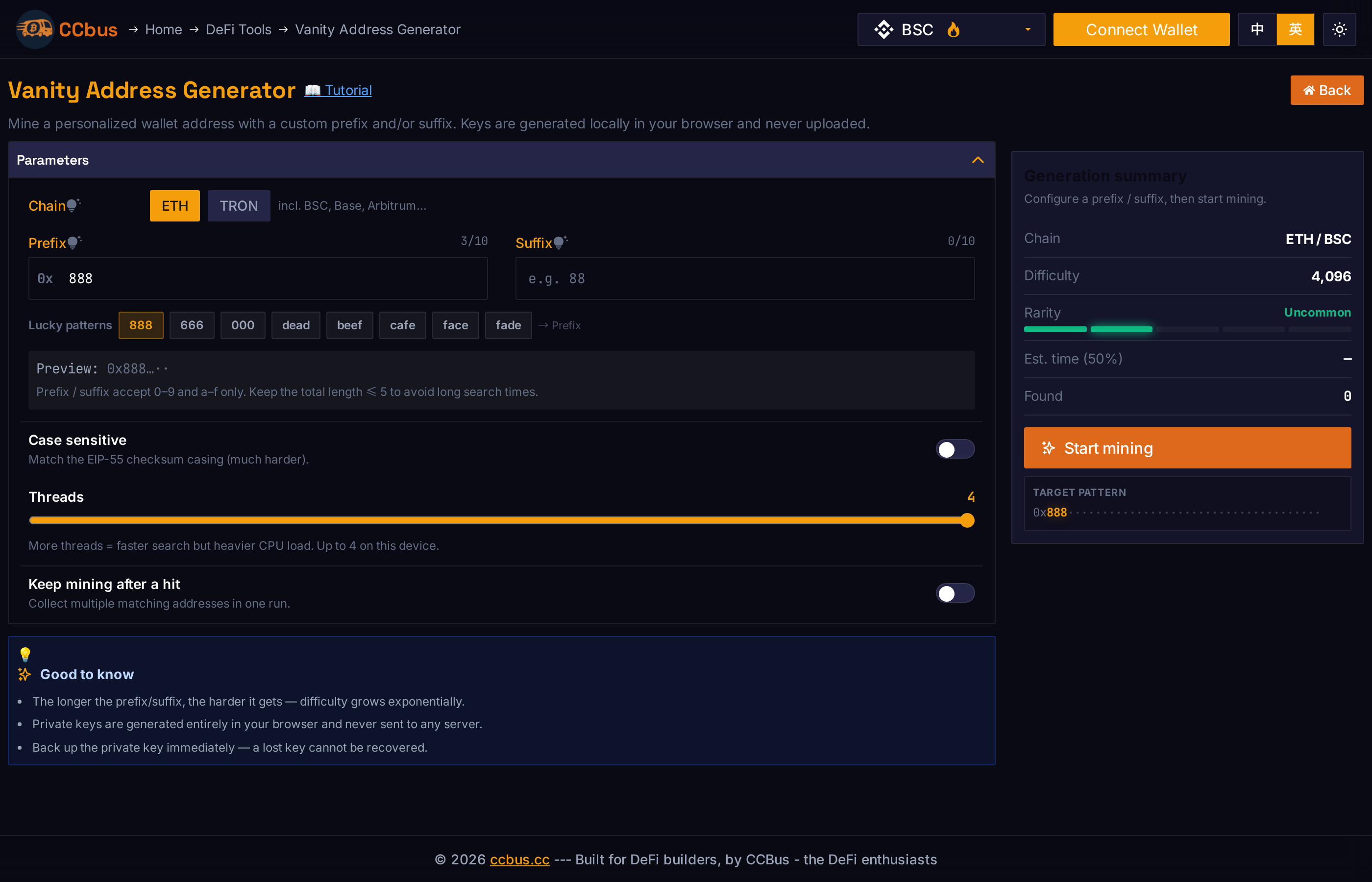
You can also click any of the Lucky patterns chips to set a common prefix in one click:
A live Preview line below the inputs shows the target address shape, e.g. 0x…8888…dead:
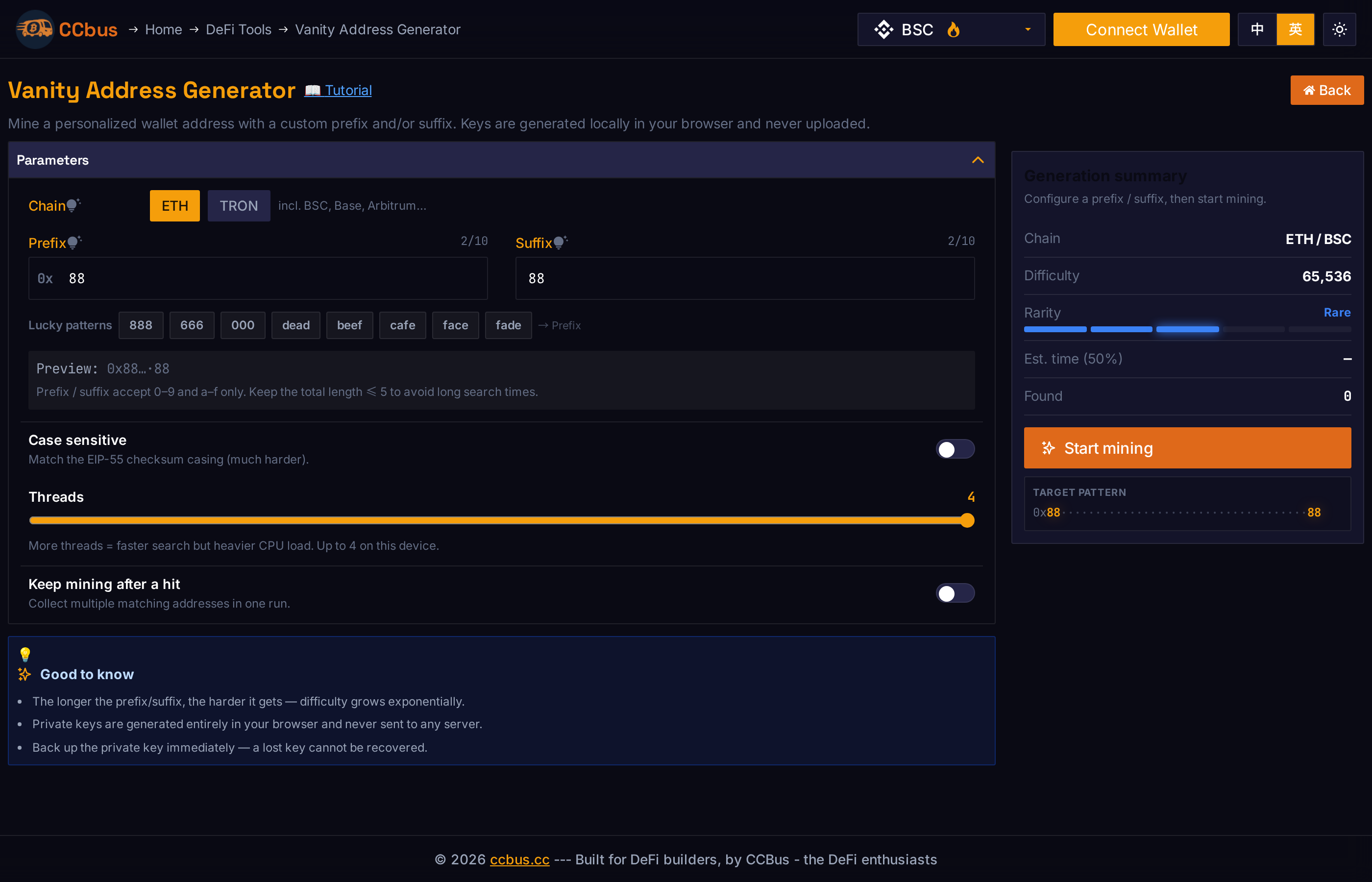
The hint section below explains the charset:
- ETH —
Prefix / suffix accept 0–9 and a–f only. Keep the total length ≤ 5 to avoid long search times. - TRON —
TRON addresses always start with "T", so the prefix matches from the 2nd character. Use Base58 characters only (excludes 0, O, I, l). Keep the total length ≤ 5.
Step 4 — Tweak the Advanced Options
Case sensitive (ETH only) — match the EIP-55 checksum casing. Substantially harder than case-insensitive matching.
Threads — how many candidate addresses are computed in parallel, and how much CPU time the browser will eat up. The page picks a sensible default based on your device's CPU count.
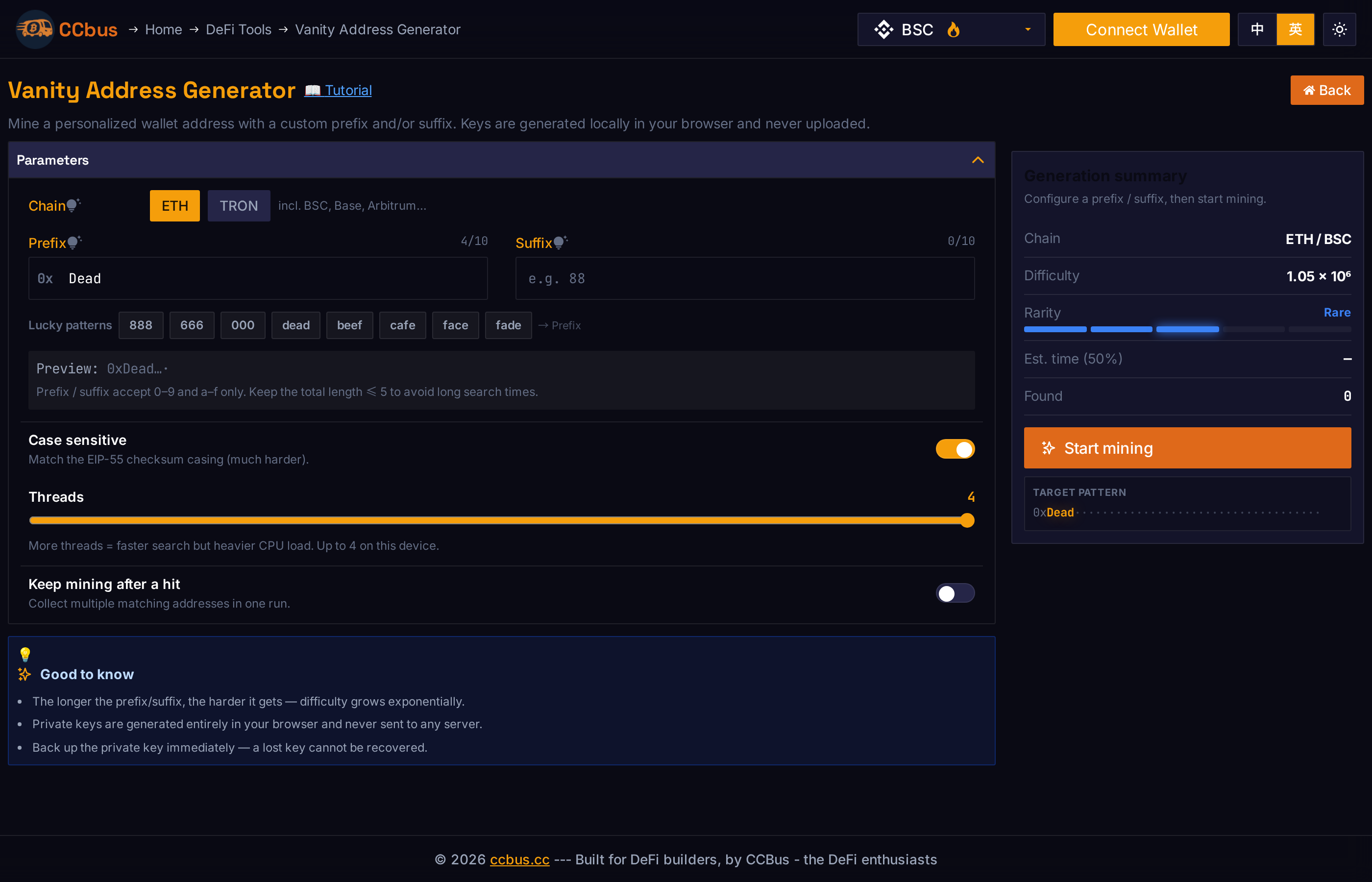
Keep mining after a hit — continue collecting matches after the first one is found. Useful for batch generation.
Step 5 — Start Mining
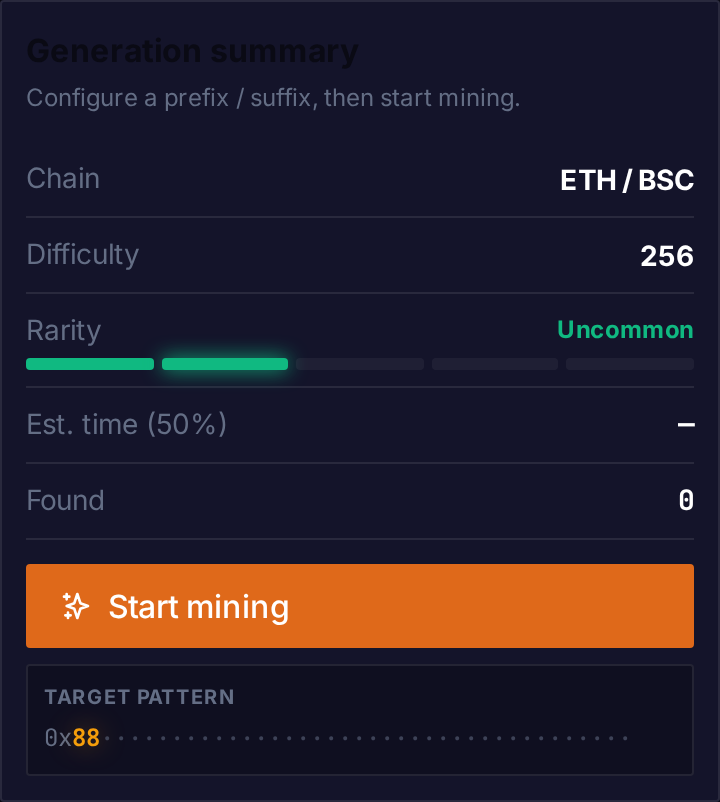
Click the orange Start mining button. The right-hand summary card updates in real time:
- Chain — the currently selected chain
- Difficulty — approximate number of keys that must be tried
- Rarity — five-tier gauge (Common / Uncommon / Rare / Epic / Legendary)
- Est. time (50%) — estimated time to find a match at the current speed
- Found — number of matches collected in this session
Step 6 — Reveal and Back Up the Private Key
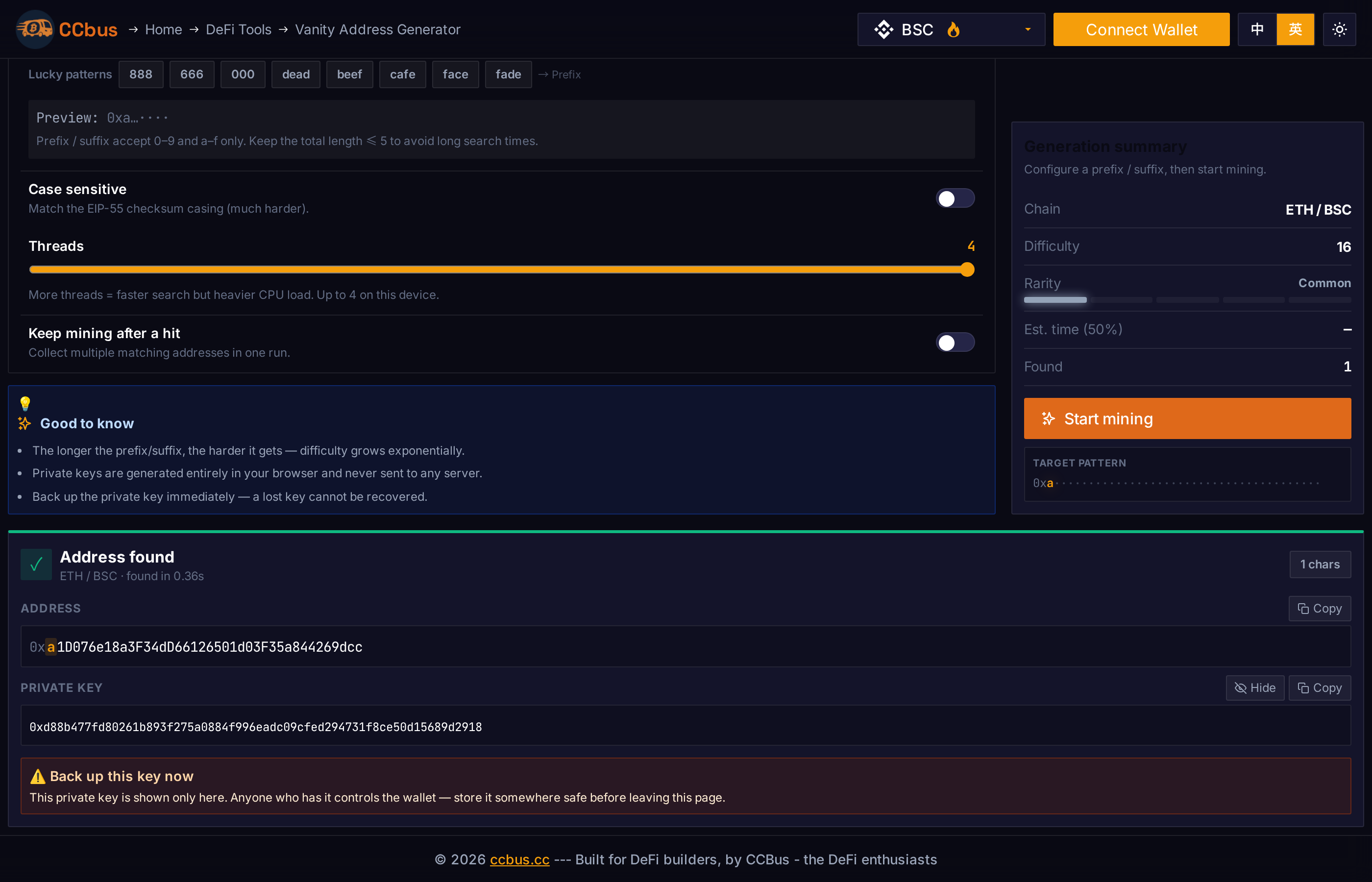
When a match is found, a result card appears at the bottom of the page:
- A green check mark
- The chain and how long the search took
- Address (with the prefix and suffix highlighted)
- Private key (hidden by default — click Reveal to show it)
- A prominent "Back up this key now" warning
This is the most important step. Click Reveal to see the private key, then:
- Click Copy to copy the key to your clipboard
- Paste it into a password manager, write it down on paper, or import it into a hardware wallet
- Never share the private key with anyone
⚠️ Danger: A lost private key cannot be recovered. CCBus does not store your private key. Once you navigate away from this page, the key is gone from the browser.
What About a Seed / Recovery Phrase?
You will notice that the tool gives you only an address and a private key — there is no 12- or 24-word seed phrase (recovery phrase / mnemonic). This is by design, not a bug.
A seed phrase is the root of an HD (hierarchical deterministic) wallet: it encodes a piece of entropy, from which every private key in the wallet is deterministically derived along paths like m/44'/60'/0'/0/0. The CCBus tool, by contrast, generates a single raw 32-byte private key directly from crypto.getRandomValues() and uses it as-is — there is no seed, no derivation path, and no HD tree. The vanity address is mined by trying random private keys until one happens to produce a public-key hash that matches your pattern; a seed phrase is never produced because there is nothing to phrase.
Important — read this before importing the key into MetaMask:
- When you import this private key into MetaMask (Account menu → Import account → Private key), MetaMask will create an "Imported" account and will not show a seed phrase for it. There is no seed phrase to show — the account exists only as that single private key.
- If you reset MetaMask, restore from a different seed, or move to a new device, this imported account will be gone unless you re-import the private key.
- You cannot derive a seed phrase from this private key after the fact. The relationship is one-way: seed phrase → many keys, not key → seed phrase.
In short: the private key is the only backup. Treat it accordingly. Do not expect MetaMask's standard "Secret Recovery Phrase" backup to cover this account.
If you want a vanity address and a recoverable seed phrase, you have two practical options:
- Treat the vanity address as a one-off hot wallet. Mine it, import the key, use it to receive funds, and then sweep the balance into a normal seed-phrase wallet you control (e.g. a fresh MetaMask / hardware wallet). The vanity account is for receiving; the seed-phrase account is for long-term storage.
- Use a different tool that mines from a known seed. A few advanced tools let you supply your own entropy / seed and then grind derivation paths until one of the derived addresses matches your pattern. This is exponentially slower (typically minutes-to-hours for a 2-character prefix on a beefy machine) and is not what this CCBus tool does.
Batch Generation and CSV Export
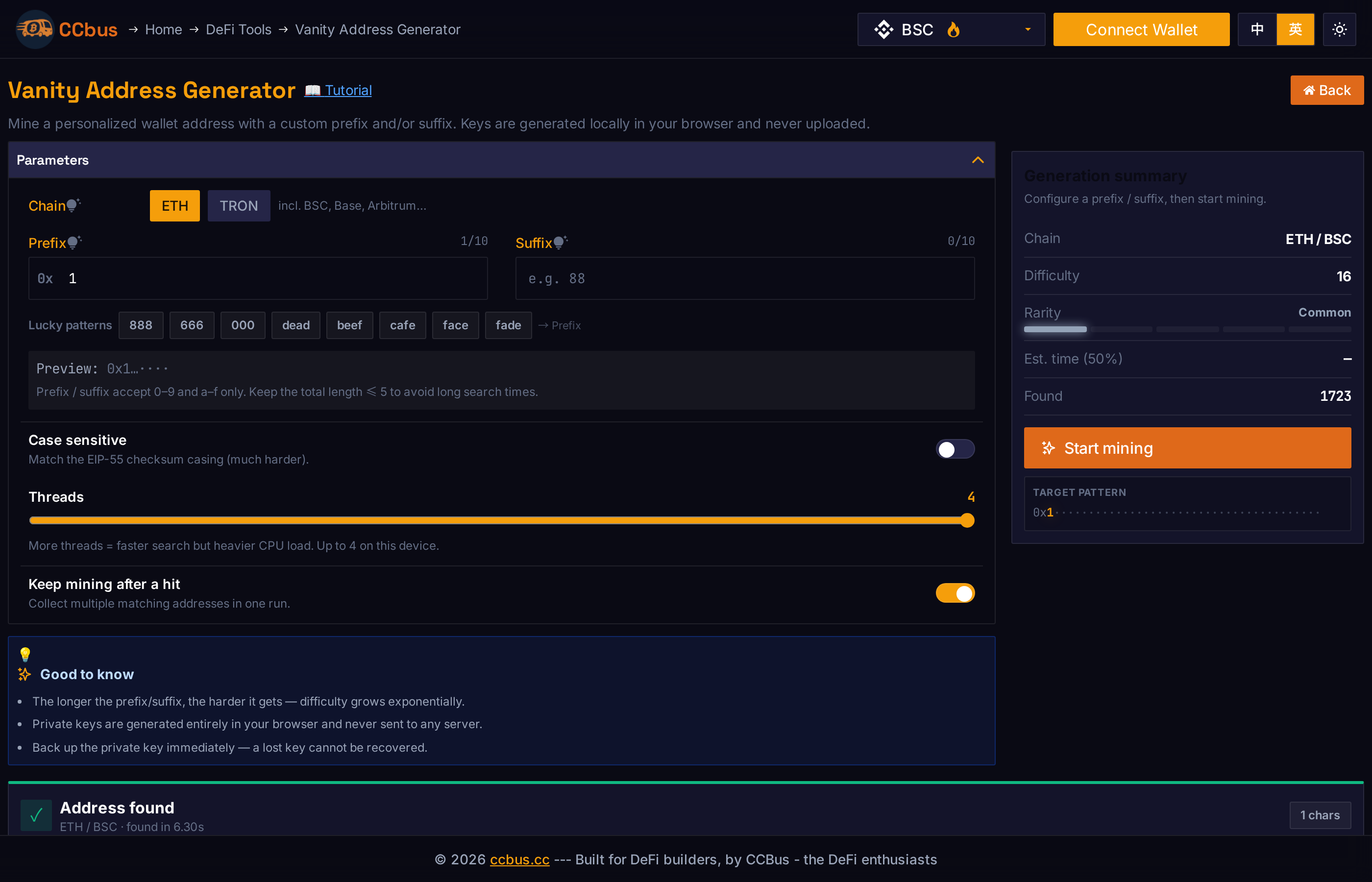
With Keep mining after a hit turned on, every match is added to the results table. The heading shows the total count, e.g. All matches (8). Click CSV to download all matches as a CSV file, or Clear to wipe the in-memory results.
CSV format:
address,private_key
0x8888abc...def,0x...
0x8888123...456,0x...⚠️ The CSV file contains plaintext private keys. Treat it as you would any other secret. Delete it securely after importing the keys into a wallet manager.
TRON Example
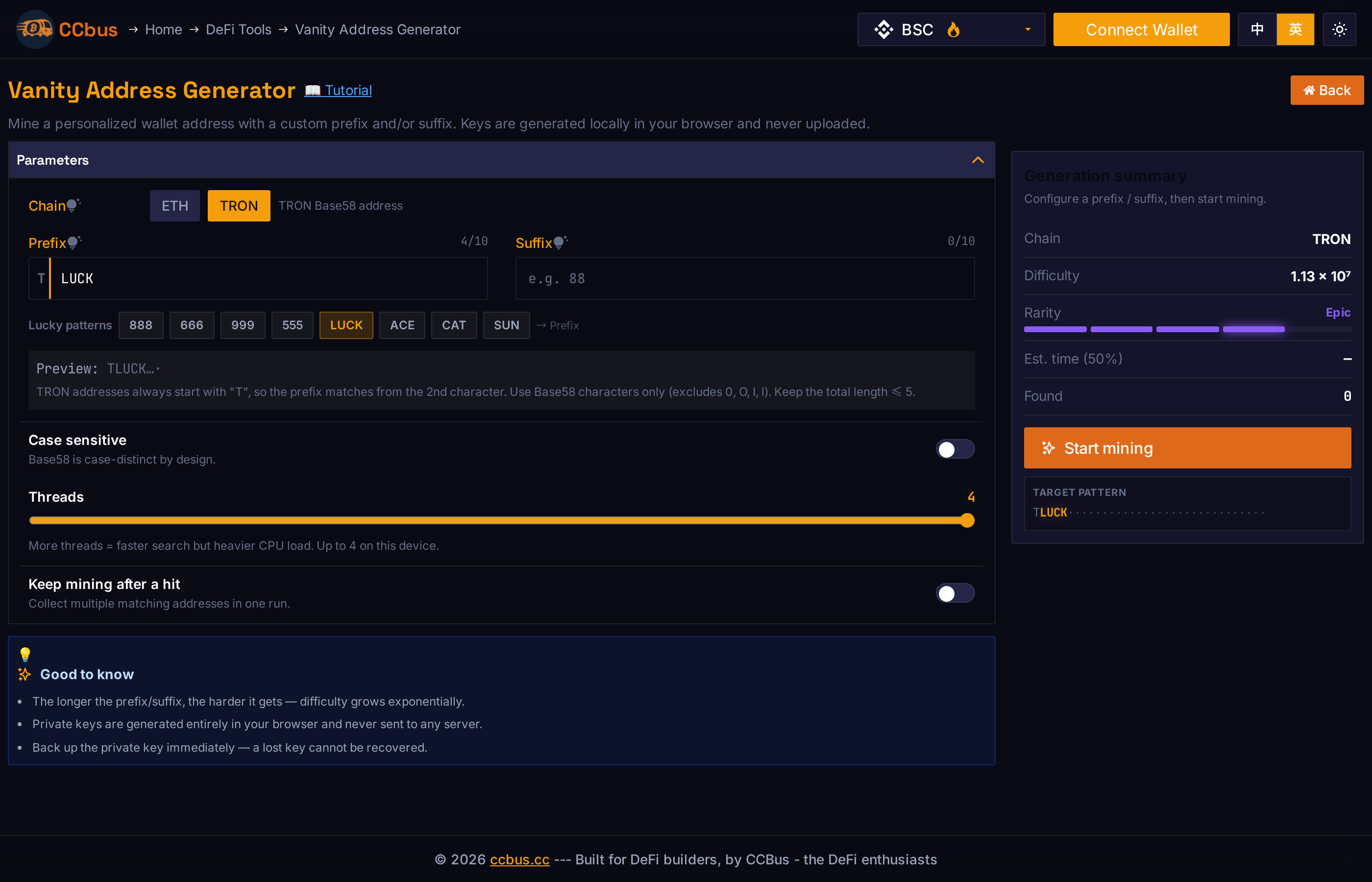
After switching to TRON, the allowed character set becomes Base58. Common TRON prefixes: LUCK, ACE, SUN, CAT.
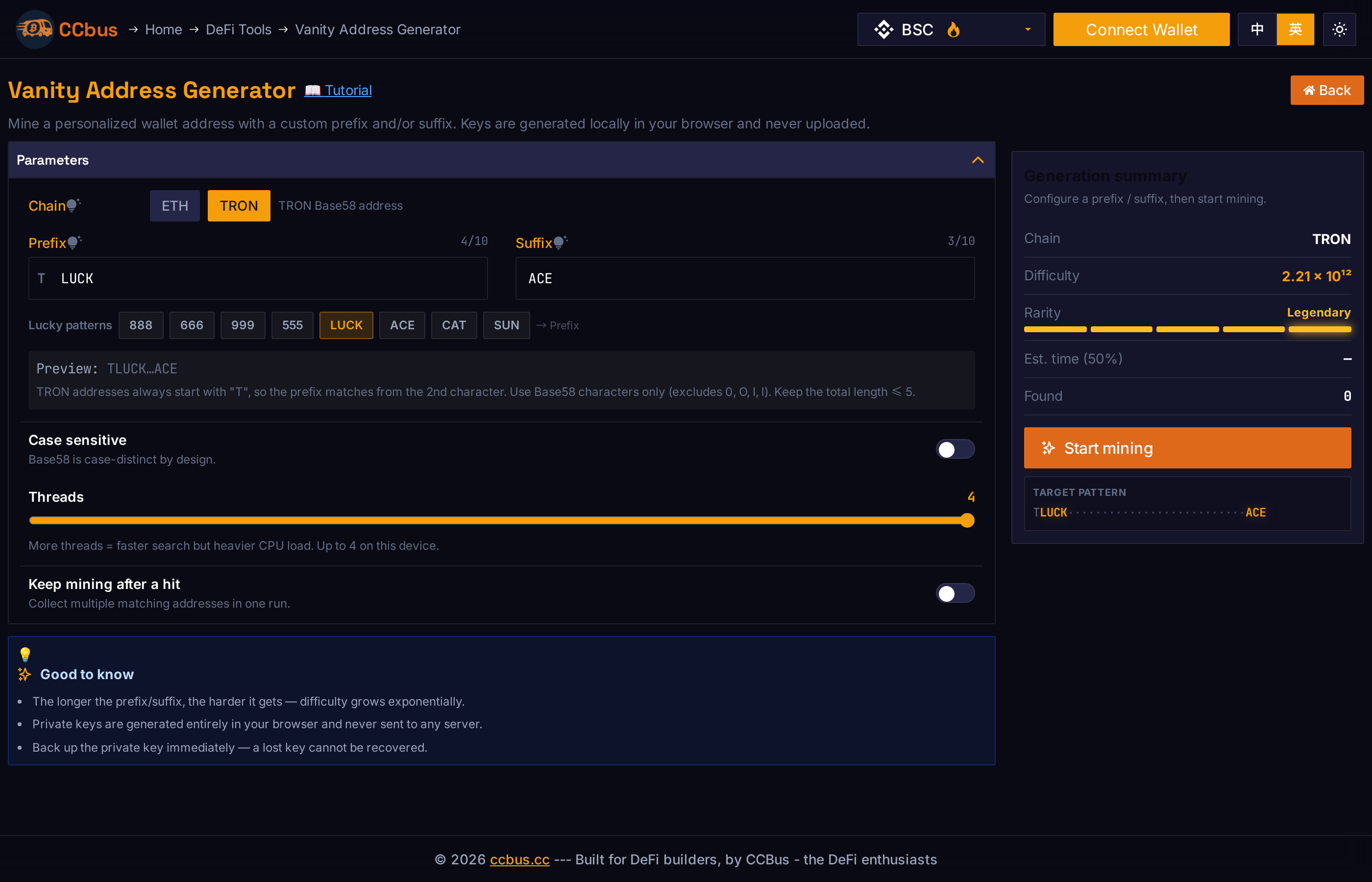
You can also combine a prefix and suffix on TRON — for example, LUCK…ACE:
Difficulty & Rarity
| Rarity | Difficulty range | Notes |
|---|---|---|
| Common | ≤ 16 | Single hex char — instant |
| Uncommon | ≤ 4,096 | 2 hex chars — under a second |
| Rare | ≤ 1,048,576 | 3–4 hex chars — seconds to a minute |
| Epic | ≤ 1,000,000,000 | 5–6 hex chars — minutes to hours |
| Legendary | > 1 billion | 7+ chars — could take days on a single machine |
Keep the total prefix + suffix length ≤ 5 for comfortable mining.
FAQ
1. Is generating a vanity address free? Yes — completely free. The tool runs in your browser and does not require any wallet connection, payment, or account.
2. Can my private key leak? No. All keys are generated locally in your browser. CCBus never sees your private key. Your job is to back the key up and make sure no one (or no camera) is watching when you reveal it.
3. Can I generate a BSC vanity wallet? Yes — BSC and ETH use the same address/private-key format. Generating an "ETH" wallet gives you a usable BSC wallet at the same time.
4. Why isn't there a Solana option? Solana uses Ed25519 keys and a different address derivation path. Use a dedicated Solana vanity tool for that.
5. Why is my vanity address taking forever? Longer / more complex prefixes or suffixes dramatically increase the search space. A faster machine with more CPU cores will mine faster.
6. Can I specify both a prefix and a suffix? Yes. The difficulty is the product of both — e.g. an ETH address with a 3-char prefix and 3-char suffix needs ~16⁶ ≈ 16.7 million attempts on average.
7. How do I import the mined address into MetaMask? Click Reveal → Copy the private key. In MetaMask: account menu → Import account → paste the key. The imported account will be your vanity address.
8. I lost the private key. Can you recover it? No. CCBus does not store your private key — it is only shown in your browser during the mining session. If you closed the page without copying, the key is gone forever.
9. Can I use the same ETH vanity address on BSC / Base / Arbitrum? Yes — EVM chains share the same address format, so the same private key controls the same address on every EVM chain.
10. Can I generate multiple vanity addresses in one run? Yes — enable Keep mining after a hit before starting. Every match will be added to the results table, and you can download the full batch as CSV.
11. Can I get a seed phrase (recovery phrase) for this account? No. The tool produces a raw private key only — there is no seed phrase and no HD derivation. When you import this key into MetaMask, it will be an "Imported" account and MetaMask will not show a recovery phrase for it. The private key itself is your only backup. See the What About a Seed / Recovery Phrase? section above for details and recommended workarounds.